


Your Steam page is losing sales.
Find the store page issues that could be costing you wishlists and sales. Get AI feedback on your capsule, description, screenshots, and tags, starting with one fix, free.
See a sample report·No Steam page yet? Plan your launch
From score to next steps
Your free report includes all four category scores and one issue with its fix. Unlock the remaining fixes for $29 per game.
Fair
Overall score
The capsule does not show what kind of game this is
What we found: the capsule shows only a logo on a flat background. There is no visual clue to the gameplay.
What to change: make a recognizable character or gameplay element the focus. Keep it clear at thumbnail size.
Scores reflect our AI review of each part of your page. For more context, explore 405 real Steam store pages and compare screenshot counts, trailers, and description lengths. Data collected 2026-02-10 to 2026-07-30. Read the sample report →
Two real reports
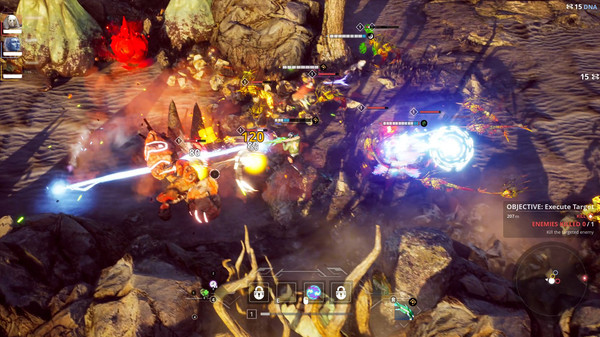
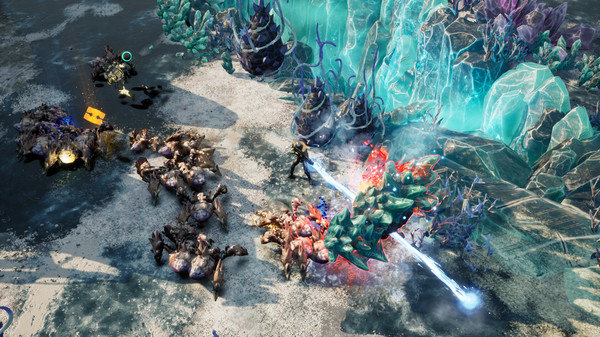
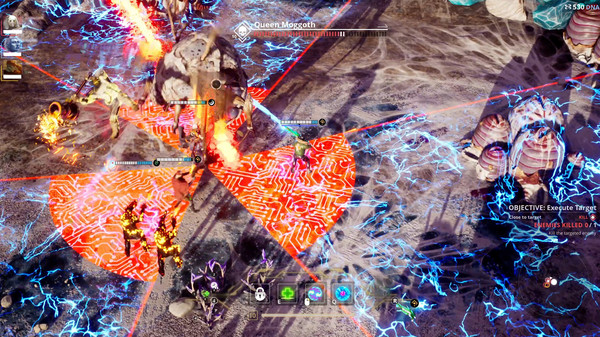
See the scores and feedback for Killsquad and ELDEN RING, reviewed using the same criteria. Each report covers a different game.
Scores review store page presentation, not game quality. These pages may have changed since analysis. Neither studio is affiliated with or endorses Steam Page Analyzer.
Next Fest runs Oct 19-26, 2026. Make your first impression count.
Registration has closed for this edition. If your game is taking part, use the time before the fest to review your store page.
Help players see what makes your game worth playing
You know your game inside out. New visitors need the page to explain it. We review four parts of that first impression.
A capsule players can read at a glance
See whether your artwork communicates the game at thumbnail size. Find crowded text, low contrast, and details that get lost when the image shrinks.
A description that gets to the good part
Help players understand what they do and why it is fun. Get feedback on your opening hook, feature list, and how easy your description is to scan.
Screenshots that show the experience
Check whether your first screenshot shows the core gameplay and the rest add variety. Spot images that repeat the same idea or hide the action.
Tags that fit your game
See whether your tags describe the genre, mechanics, and experience you offer. Find broad or mismatched tags that could set the wrong expectations.
A clear place to start, in minutes
No account required. Results in minutes.
For the devs doing the marketing, too
Get a useful next step for your store page, whether you're preparing to launch or updating a game that's already out.
Building solo
When you handle both the game and the marketing, it helps to have a starting point. Get focused feedback you can turn into your next page update.
Working with a small team
Give your artist, writer, and marketer a shared list of issues to work through. Use the report to agree on what needs attention first.
Preparing for launch or Next Fest
Review your public Coming Soon or Early Access page while you have time to revise it. Check that your hook, images, and tags tell the same story.
Giving a released game another look
Your game has evolved. Has your page kept up? Find outdated descriptions, repetitive screenshots, and missed chances to show what players can do.
See how other Steam pages are put together
Need a reference for your next update? Browse 405 public store pages and compare screenshot counts, trailers, and description lengths.
A look at the pages in our dataset
180 released and 225 unreleased pages, collected 2026-02-10 to 2026-07-30. These figures describe the pages in this dataset. Your analysis score comes from a separate AI review of your page's presentation. Browse the pages.
Start free. Choose how deep to go.
Get your score and first fix for free. Unlock every fix for $29, or go deeper with the Studio Launch Pack for your whole catalog. Paid reports are one-time purchases.
Free
See where your page needs attention
- 3 analyses per day
- Overall score + 4 category scores
- Your top issue explained, with its fix
- See how many other issues need attention
- Remaining fixes require a paid report
- Full recommendations require a paid report
Full Report
Everything you need to fix one page
- Every issue with its fix
- Prioritized recommendations
- Paste-ready page changes
- The deep dives
- Competitor comparison
- Buyer journey walkthrough
- Re-analyses and score history
- Downloadable PDF
The 5-Point Promise, on the $29 Full Report: make the fixes, re-run your page, and if your score hasn't gone up 5 points, reply to your receipt inside 30 days for a full refund. Any other reason works too, on every one-time purchase including the Studio Launch Pack: no questions asked.
Before you check your page
What do I get for free?
You get an overall score, four category scores, and your top issue explained with a suggested fix. You can also see how many other issues were found. Run three free analyses per day without an account. Unlock the remaining fixes with the $29 Full Report.
Is this a subscription?
No. The paid options shown here are one-time purchases. Start with your free score, then choose the report or pack that fits your needs.
Can I check a game that has not launched yet?
Yes. Coming Soon, Early Access, and released games are supported. Your Steam store page must be public so the analyzer can read it. You do not need to connect your Steam account.
How does the analysis work?
AI reviews your public capsule, description, screenshots, and tags against criteria for clarity and presentation. Each category gets a score, with feedback tied to what appears on your page. Treat the suggestions as a starting point and use your knowledge of the game to decide what to change.
Does a higher score mean more wishlists or sales?
The score measures how your page presents your game. It does not predict wishlists or sales, and the analyzer cannot see your private Steamworks traffic data. Use the feedback to improve your page, then check your own results in Steamworks.
Working on one piece of your page?
Check an image, review your screenshots, or explore revenue estimates. No account required.
Capsule Image Validator
Check your capsule dimensions and see which images need resizing before you upload them.
Screenshot Checker
Check screenshot dimensions and aspect ratios before adding them to your store page.
Revenue Calculator
Explore revenue estimates and see how different assumptions change the numbers.
Keep making your Steam page better
Get practical tips on capsule art, descriptions, and launch prep. Find ideas for the next time you sit down to work on your page.
Free to join. Unsubscribe with one click.